
IndicatorMetaTrader 5
Anchorage Profile
Builds a volume-at-price histogram over a rolling or session window. Publishes the point of control and value area as chart lines, draws the histogram as chart objects, and flags low-volume single prints. Rebuilds only when a bar closes.
Promo
Charts
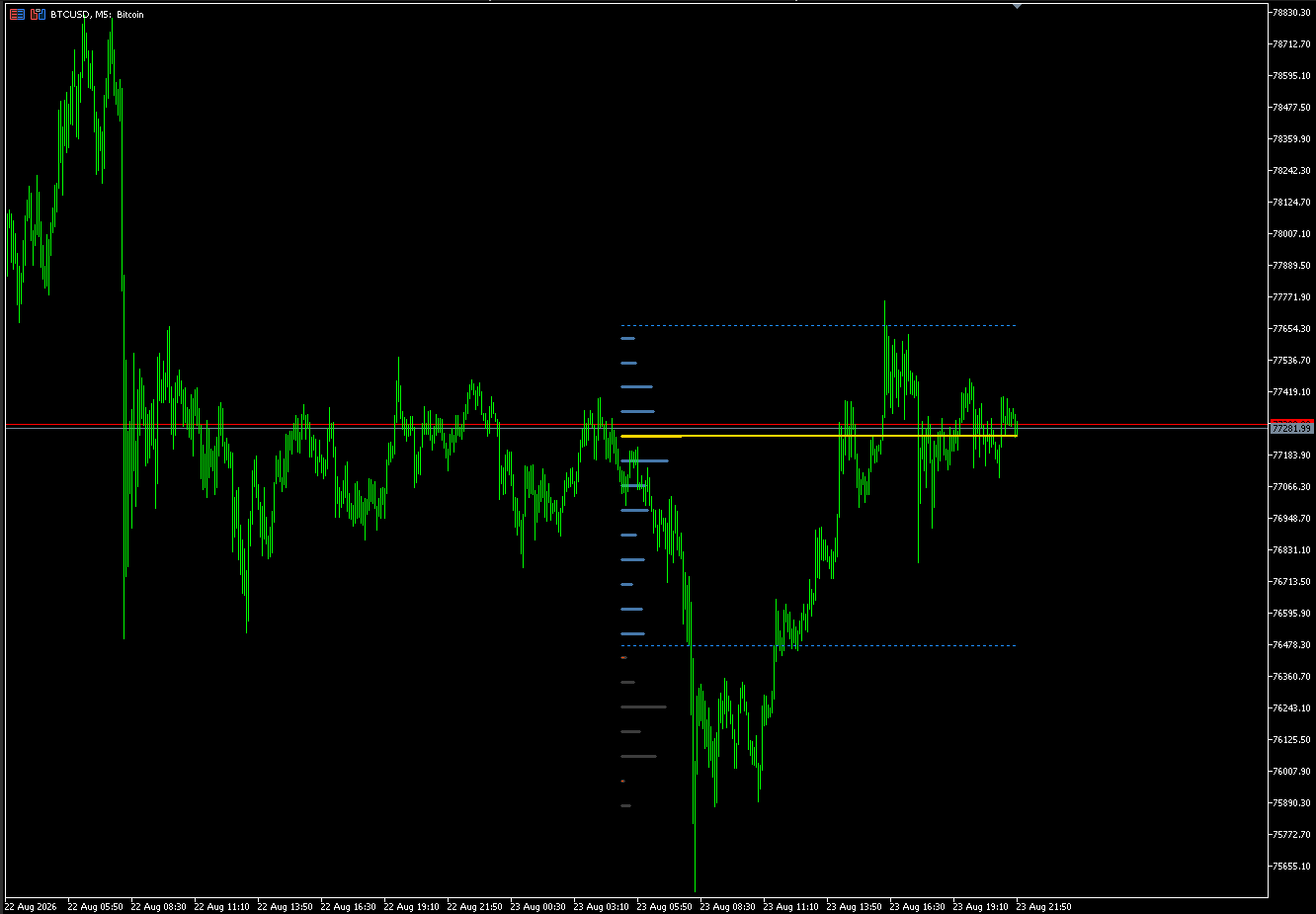
Anchorage Profile on BTCUSD M5: volume-at-price histogram with POC and value area. 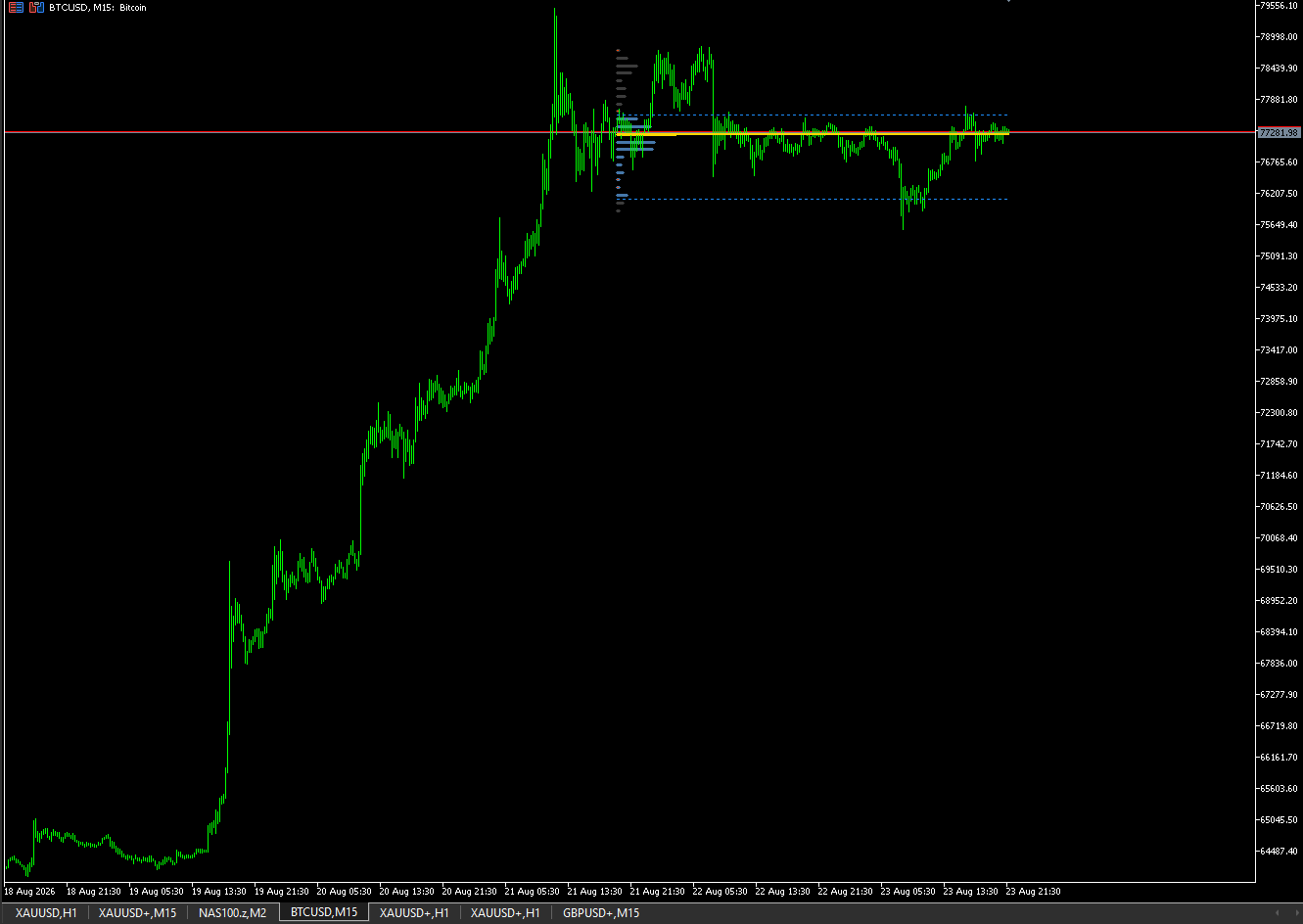
Anchorage Profile on BTCUSD M15: volume-at-price histogram with POC and value area. 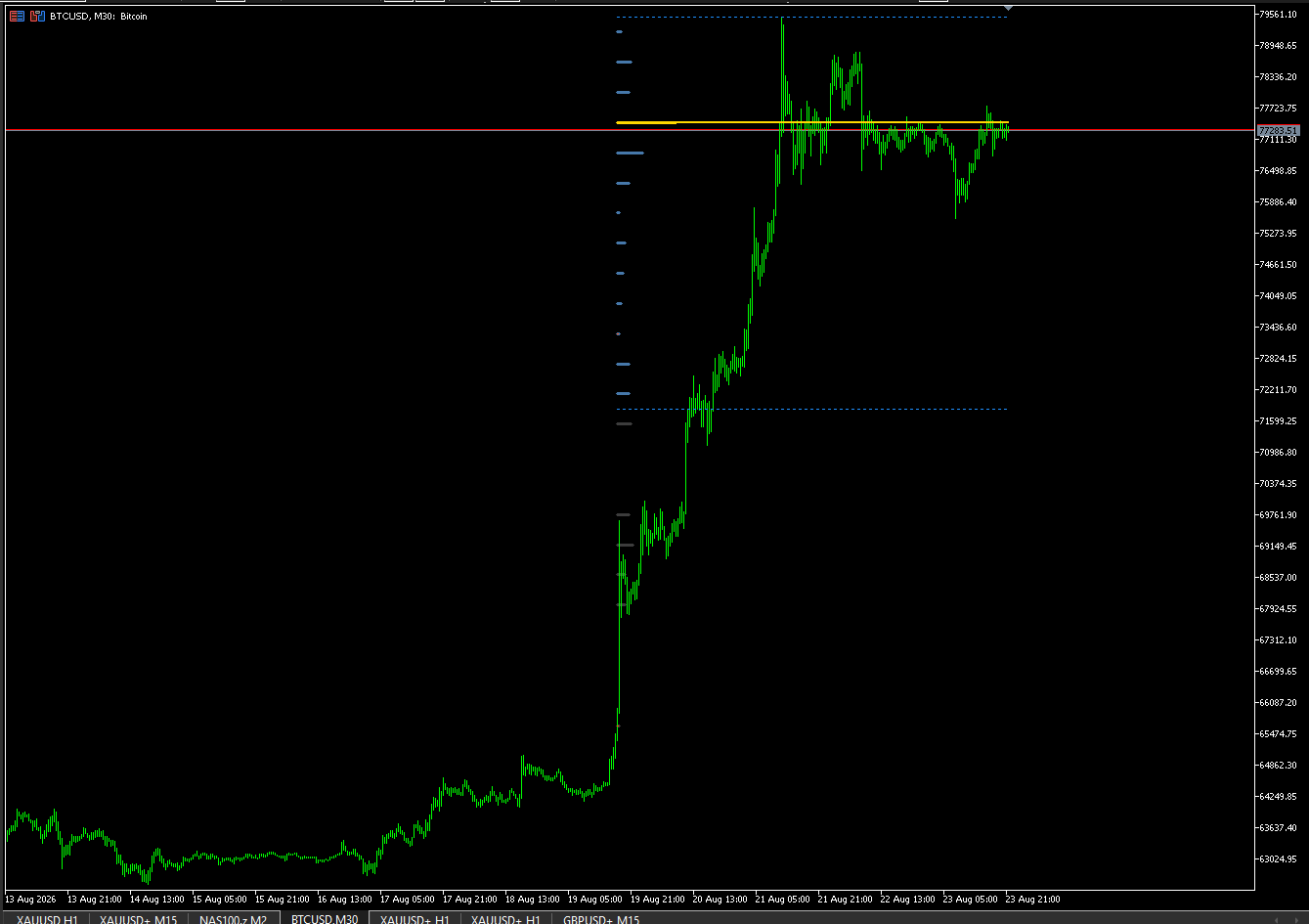
Anchorage Profile on BTCUSD M30: volume-at-price histogram with POC and value area.
About
What it does
Anchorage Profile builds a volume-at-price histogram over a rolling or session window. It publishes the point of control and value area as chart lines, draws the histogram as chart objects, and flags low-volume single prints. Each bar's volume is attributed to the bin that holds that bar's close. The histogram rebuilds only when a bar closes. It never sends orders. It does not forecast the future. The histogram is where volume already traded in the window, not a prediction engine.
How to use it
Attach it to any symbol and timeframe. Leave Window Mode on Rolling and Lookback Bars at 200 unless you want a session window or a different depth. Value area defaults to 70 percent of the window's volume. Read the gold POC line as the highest-volume bin; the dotted blue lines are value-area high and low. Histogram bars are coloured by role: gold for the POC, blue inside the value area, grey outside. A dotted marker flags a single print. The lines hold through the forming bar because the last closed window has not changed yet.
Inputs
Window: InpWindowMode (rolling last N completed bars, or session since the last session-start hour, default rolling), InpLookbackBars (rolling window length, default 200), InpSessionStartHour (server-time hour for session mode, default 0). Histogram: InpBinCount (price bins spanning the window, default 24), InpValueAreaPct (value area as percent of window volume, default 70), InpSinglePrintPct (flag a bin below this percent of the average bin, default 20). Volume source: InpVolumeSource (auto uses real volume when the symbol supplies it, otherwise tick; or force tick / real). Display: InpShowHistogramBars (default true), InpHistogramMaxBars (width of the tallest bar, default 30), InpColorPOCBar, InpColorValueAreaBar, InpColorOutsideBar, InpColorSinglePrint. Alerts: InpAlertOnNewSinglePrint (alert once per rebuild when a new single print sits inside the value area, default false).
Recommended context
Works on FX, metals, energy, and crypto. The shots show BTCUSD M5, M15, and M30. Session mode is most readable on intraday charts; use a rolling window on higher timeframes. The indicator does not trade, so no fill policy or stop-level assumptions apply.
What it does not do
It does not forecast the future. It does not generate trade signals, entries, or exits. It shows where volume already traded in the window. It does not place orders, grid, martingale, or average in. It does not use DLL, WebRequest, or network access. It never sends orders.
Support
Write hello@nikaquant.com. Include terminal build, symbol, and timeframe.
Risk statement
Trading involves risk of loss. This is an analysis tool and does not guarantee any result. Past behavior, including in the Strategy Tester, does not indicate future results. Test on demo before a funded account.
Licenses
One license, compiled .ex5
$50
What you get: one license, compiled .ex5.
Unlimited including source (.ex5 + .mq5)
$500
What you get: unlimited including source (.ex5 + .mq5).
Grade the strategy, not the indicator
An indicator is one input. Before you size a strategy built on it, upload its MetaTrader 5 backtest report to the NikaQuant app and get a graded verdict.